NewA Windows app for karting and track days
Your GoPro already knows your lap times.
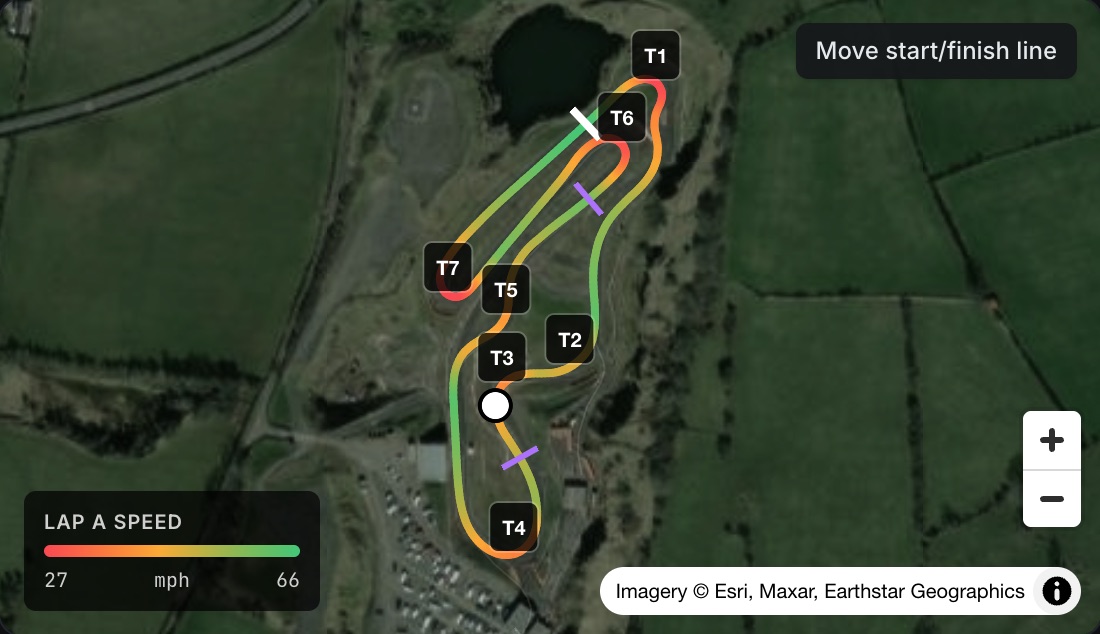
LapTrace reads the GPS hidden inside every GoPro video and turns it into lap times, sector splits, racing lines and broadcast-style overlays. No data logger. No uploads. Just the footage you already have.
Windows 10 and 11 · GoPro Hero 5 to 13 (not Hero 12) · Karts, cars and bikes
 LapTrace
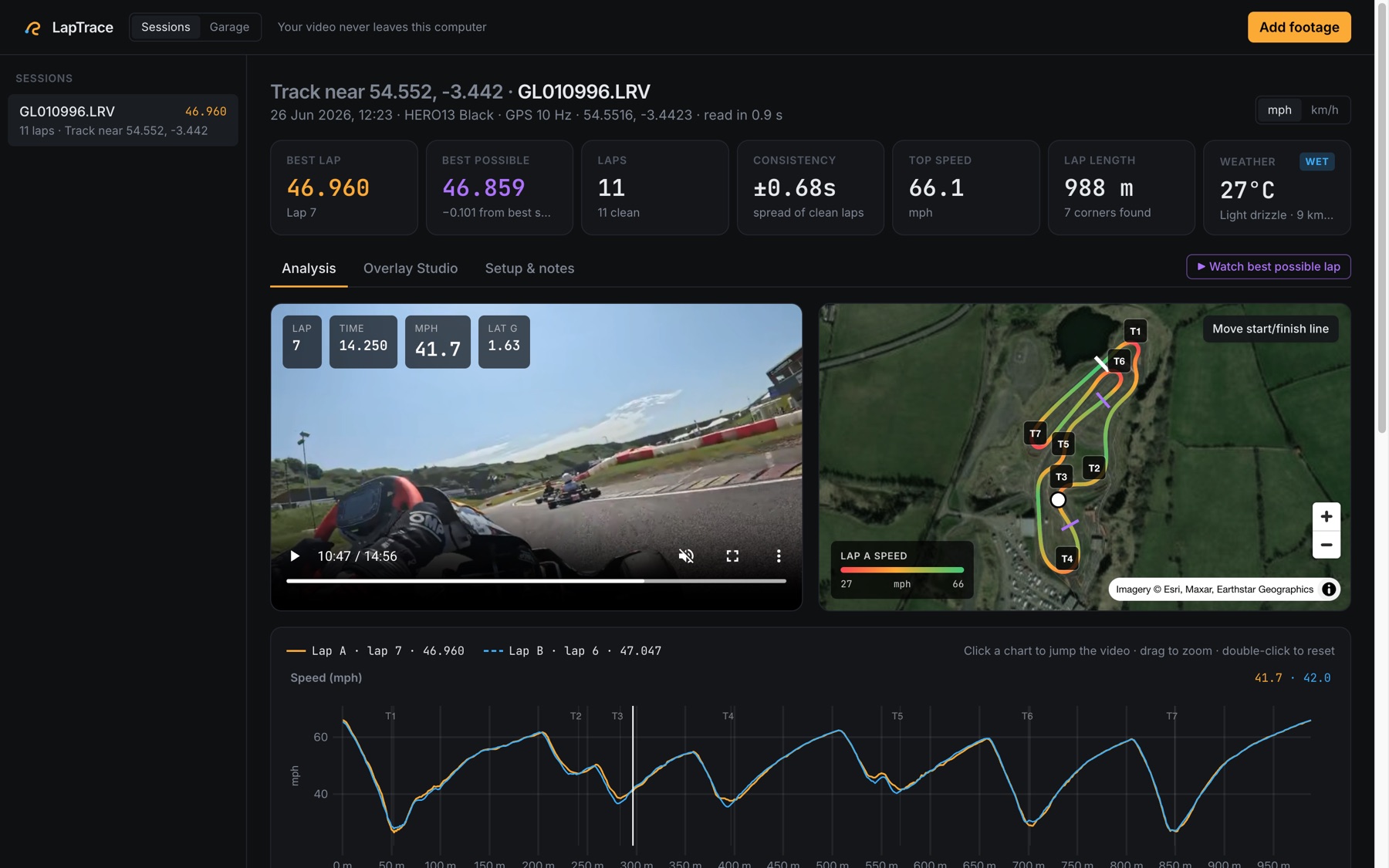
to pull the lap data out of a 15-minute GoPro file
GPS from your camera, with each line crossing timed between readings
uploaded. Your footage never leaves your PC
overlay widgets to build your own on-board graphics
How it works
From SD card to fastest lap in three steps.
Record as normal
Turn GPS on in your GoPro's settings and film your session. No logger on the wheel, nothing wired to the kart.
Drop the files in
Drag the videos straight from the card, or pick a whole folder. LapTrace finds the circuit, the start line and every lap itself.
Find the tenths
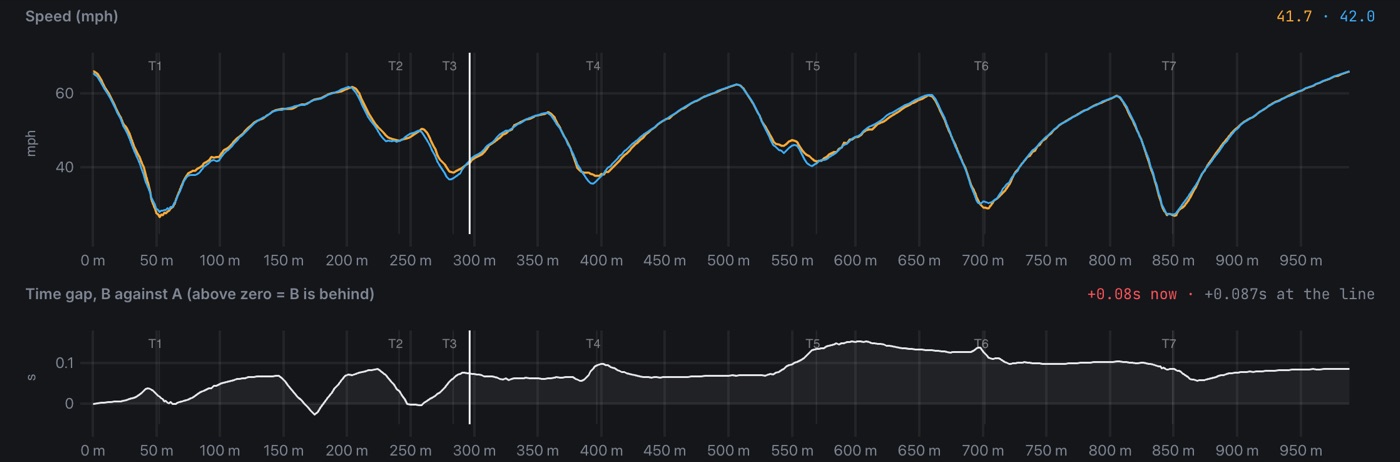
See which sectors and corners cost you time, compare any two laps, and export a video with your telemetry on it.
Features
Everything a race engineer would tell you, from your own camera.
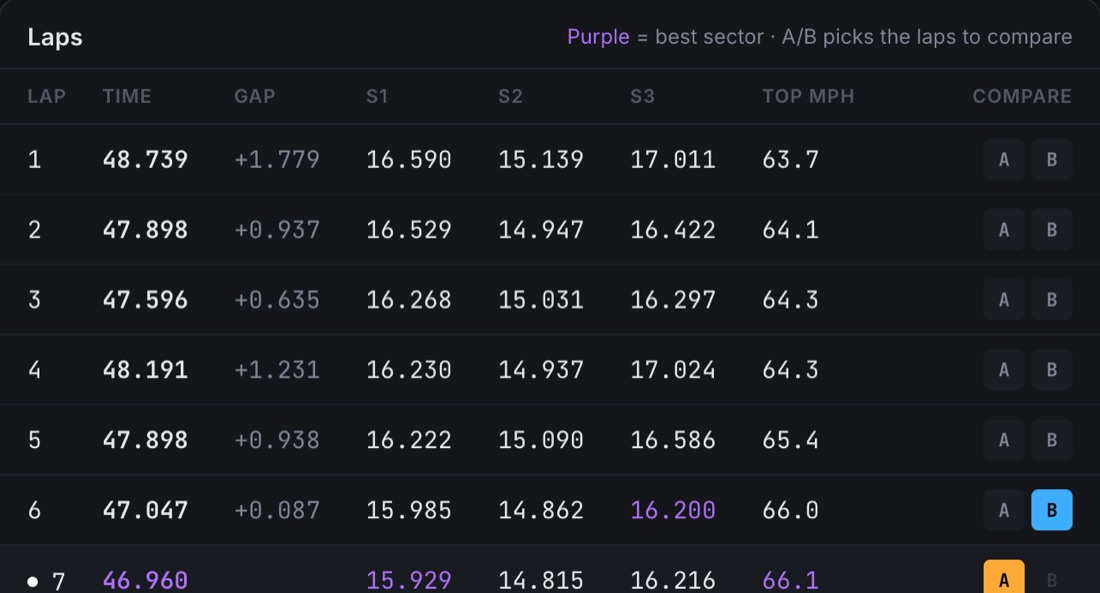
Lap timing, comparisons and racing lines straight from your GoPro's GPS. Here's the short version.
Overlay Studio
Make your onboard look like it's on TV.
Drag the slider to see the same frame straight off the GoPro and with a LapTrace overlay.
- 12 widgets: speed dial, lap timer, live delta, G meter, track map and more
- Four looks to start from, then drag, resize and recolour anything
- Export an MP4 with engine sound, ready for Instagram, TikTok or YouTube
- Your best possible lap, stitched from your best three sectors
Overlay Studio · drag to compare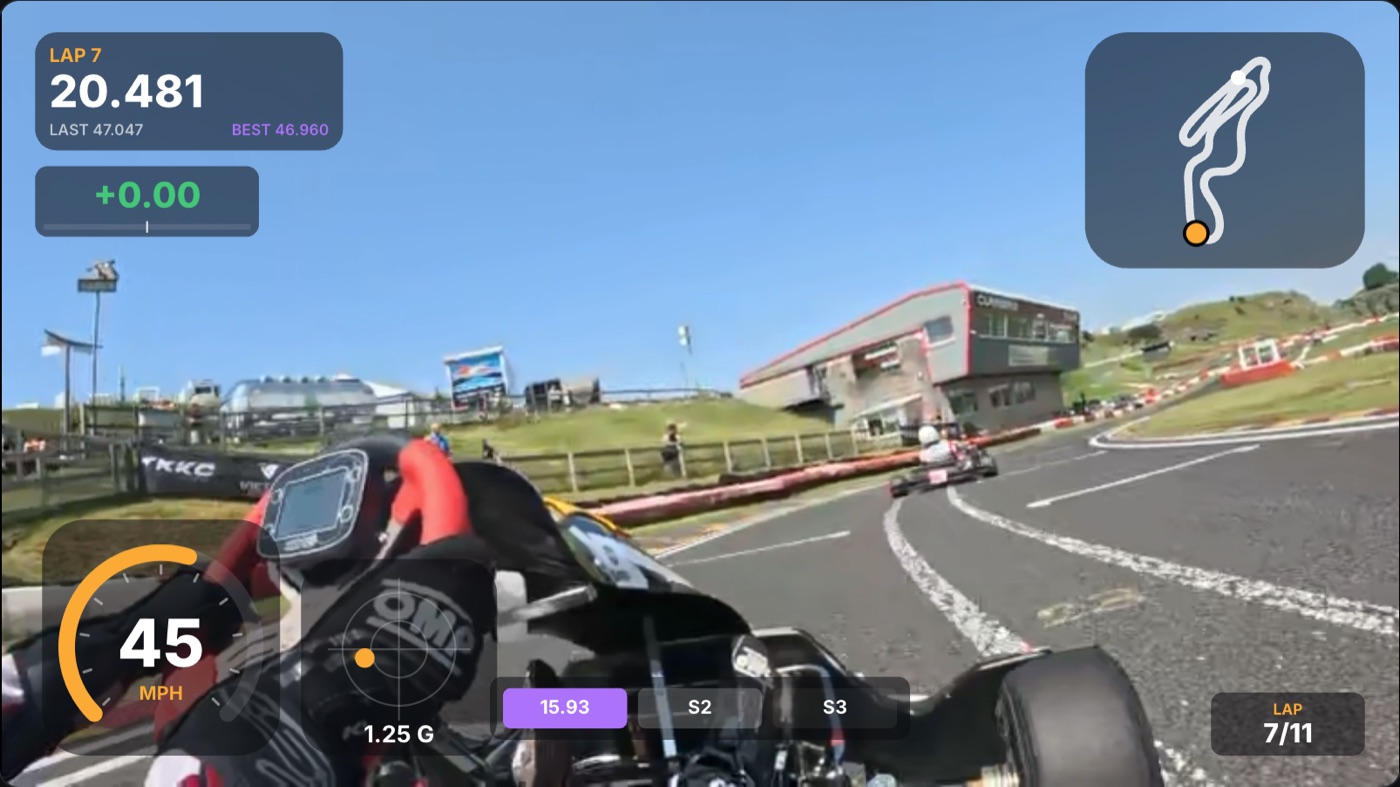
 Straight off the GoProWith LapTrace
Race weekends
Built for the paddock, not just the sofa.
Best possible lap
Your best sectors added up, so you can see the lap you're already capable of.
Garage and PBs
Every session saved on your PC, grouped by circuit, with your personal best at each.
Setup notes
Tyres, pressures, gearing and jetting logged against each session.
Weather, added for you
Air temperature, wind and rain for the hour you were on track.
Lap-timer files too
Open RaceChrono and Road-Keeper CSV exports the same way.
Quick between sessions
GoPro's small .LRV copies carry the same GPS, so laps are ready in seconds.
Cameras
Will my GoPro work?
If it records GPS, almost certainly. Turn GPS on in the camera settings and use the original files from the card.
Your footage stays on your PC.
LapTrace doesn't upload your videos anywhere. It reads only the few kilobytes of GPS data inside each file, right on your computer, so a 4 GB video is ready in seconds and nobody else sees your laps unless you choose to share them.
LapTrace for Windows is being tested now. The download will appear on this site as soon as it's ready.
Explore
Explore LapTrace
Coming soon to Windows.
Keep filming with GPS on. When LapTrace lands, every session you've already recorded is ready to analyse.